
Terminal File Management
So here we go, you’ve made the jump… You’ve decided you really, really want to give the penguin a go. You sat through your course “Becoming a Linux Pro” in only fifteen videos. Three videos in, you decided you were ready, so you installed the distro of your choice and finally logged into your first Linux server (or a local WSL2 environment, or maybe even a small Linux server you set up with a few clicks).
But then there’s that scary thing: the terminal. It’s that weird black box you’ve seen in movies, with Mr. Hackerman and friends doing unspeakably complicated things to break into whatever they’re after. What you don’t usually see are the easy tools. It’s really not that hard. There’s a good solution for everyday tasks. Let’s look at the different levels of file management on Linux, without needing a university degree or wasted nights on tutorials.
(But seriously, don’t stop watching proper tutorials, or skip Uni!)
Midnight Commander
| Name | Executeable | Experience Level |
|---|---|---|
| Midnight Commander | mc | Beginner |
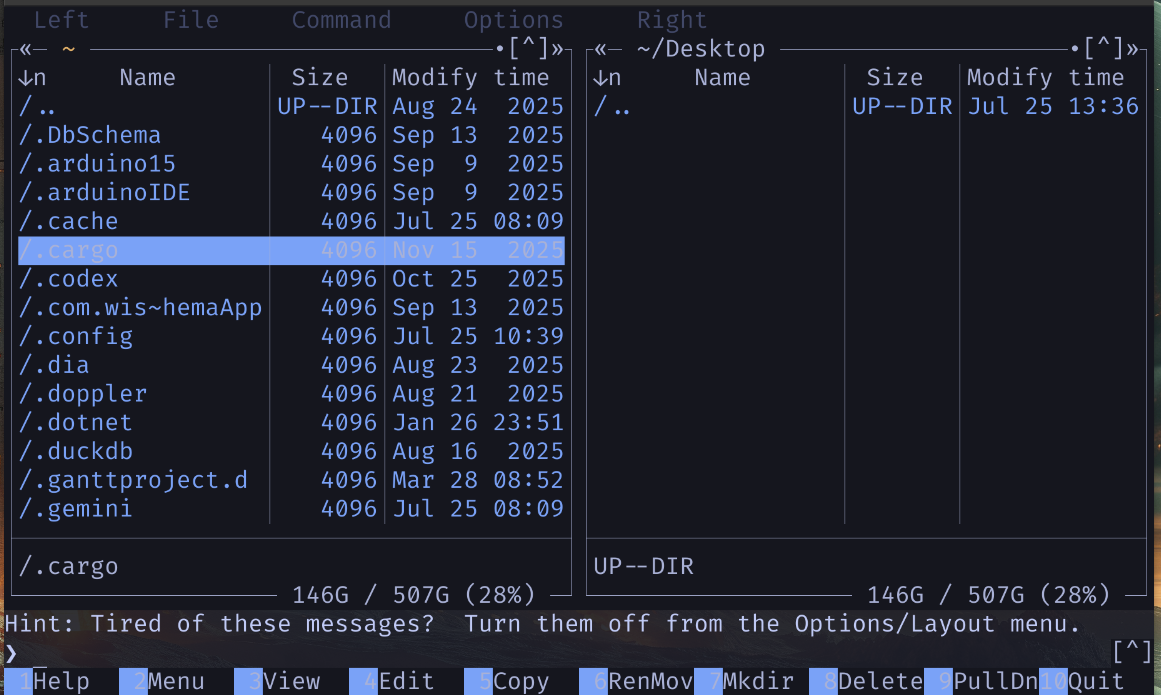
When it comes to the every day life in the terminal, there is a lot of directory hopping back and forth. It it can become quiet tedous and annoying. There is a couple of ways to get around it. If you’re one of the older releases into the human gene pool, you might gravitate to tools like “Midnight Commander” with it’s nice double pane layout and intuitive ui.
Install on: Ubuntu | Fedora | Arch/Cachy OS
Superfile
| Name | Executeable | Experience Level |
|---|---|---|
| Superfile | spf | Advanced Beginner |
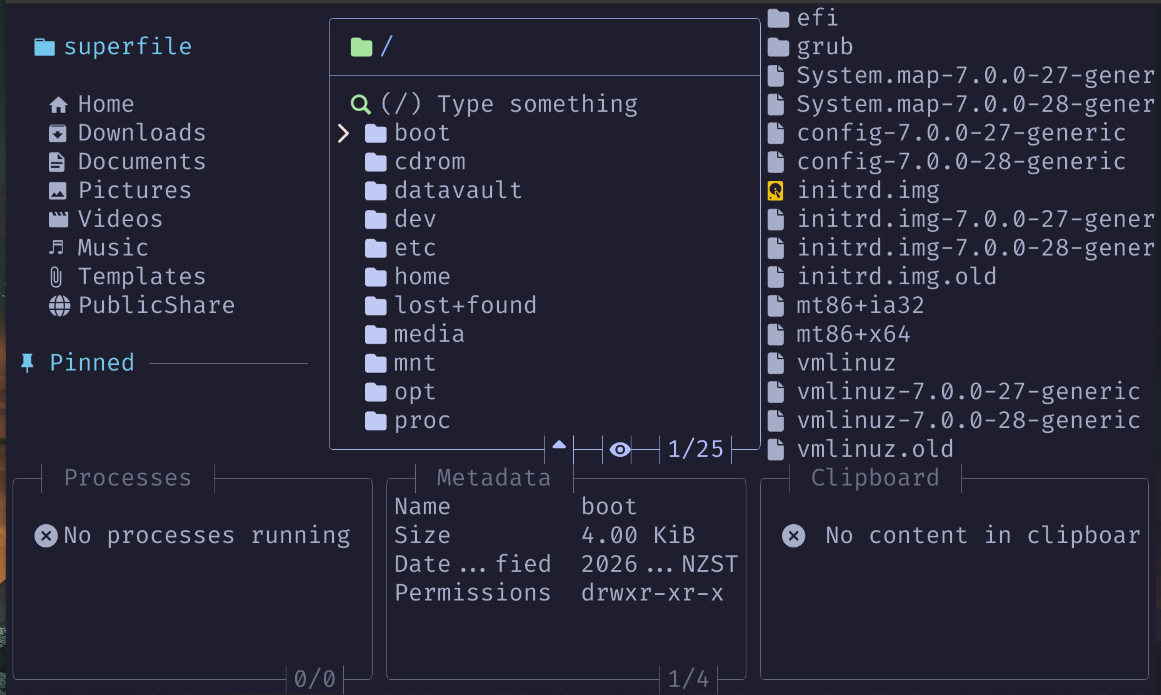
Well this one is a very nice alternative to something straight forward. It’s really nice for those times when you ssh into your machine for a quick move job. When you press the ‘?’ you get the full list of options. So, why is this intermediate and not an easy file navigator? Well,- you have to use your favourite editor (and, yes- I’ll be doing a small text editor terminal survivor) at some stage, because if you would like to configure stuff like your editor or for example the team- you will need it. That being said SPF (Superfile) is a very nice and fast way to find your way around your remote desktop.
Install on: Ubuntu | Fedora | Arch/Cachy OS
Ranger
| Name | Executeable | Experience Level |
|---|---|---|
| Ranger | ranger | Intermediate |
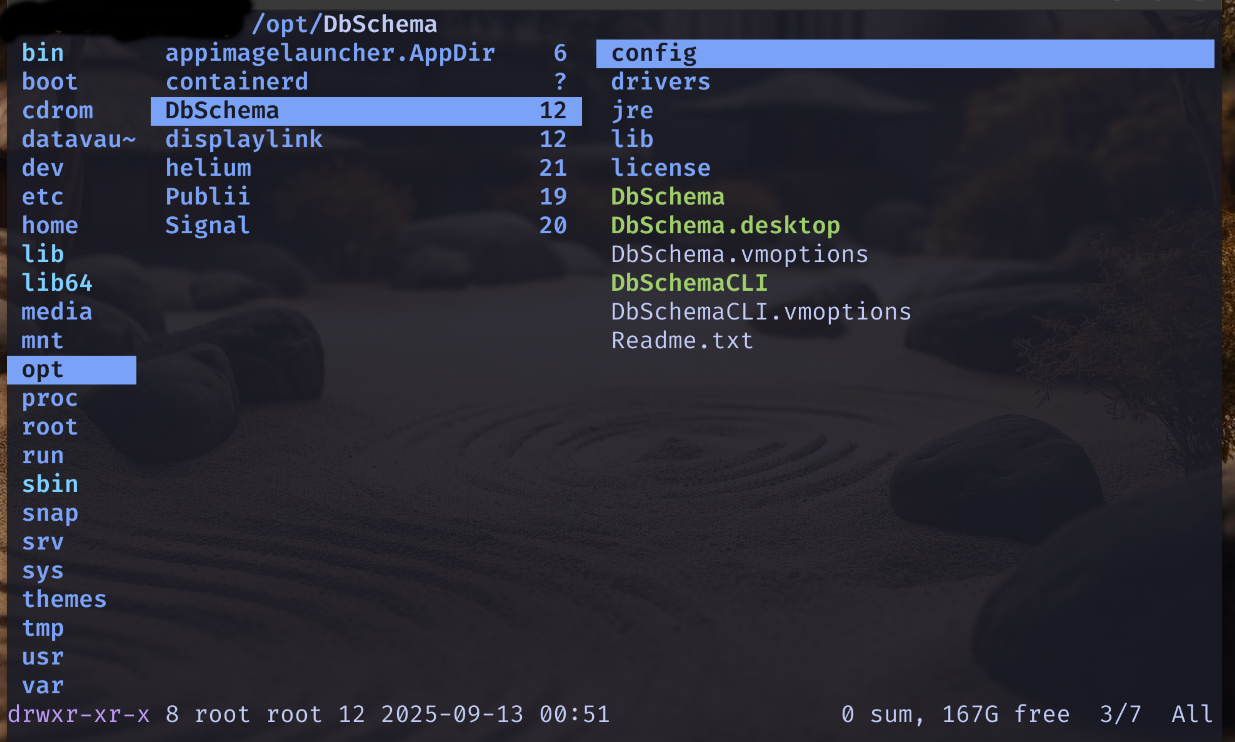
If you do like your vi, you will love ranger. it borrows some of the keyboard shortcuts that are second nature to you when you are using vi or neovim on a daily basis. there is a couple of really nice tutorials online like this one here. i do belive that this file manager, while not the most comfortable, might be the best solution for the everyday ssh session if you would like to avoid working purely on the command line.
Install on: Ubuntu | Fedora | Arch/Cachy OS